Post 3 - Joystick control (drag it, or WASD / vim keys)
Hi again, it’s Hambreros and Tamadillo.
Last post the robot learned to make noise. This one is smaller
but makes the whole thing way more fun to actually drive: a real joystick —
drag it with a mouse or thumb, or just use WASD / vim-style hjkl on a
keyboard — instead of wrestling two separate wheel sliders at once.
What we’ve actually built
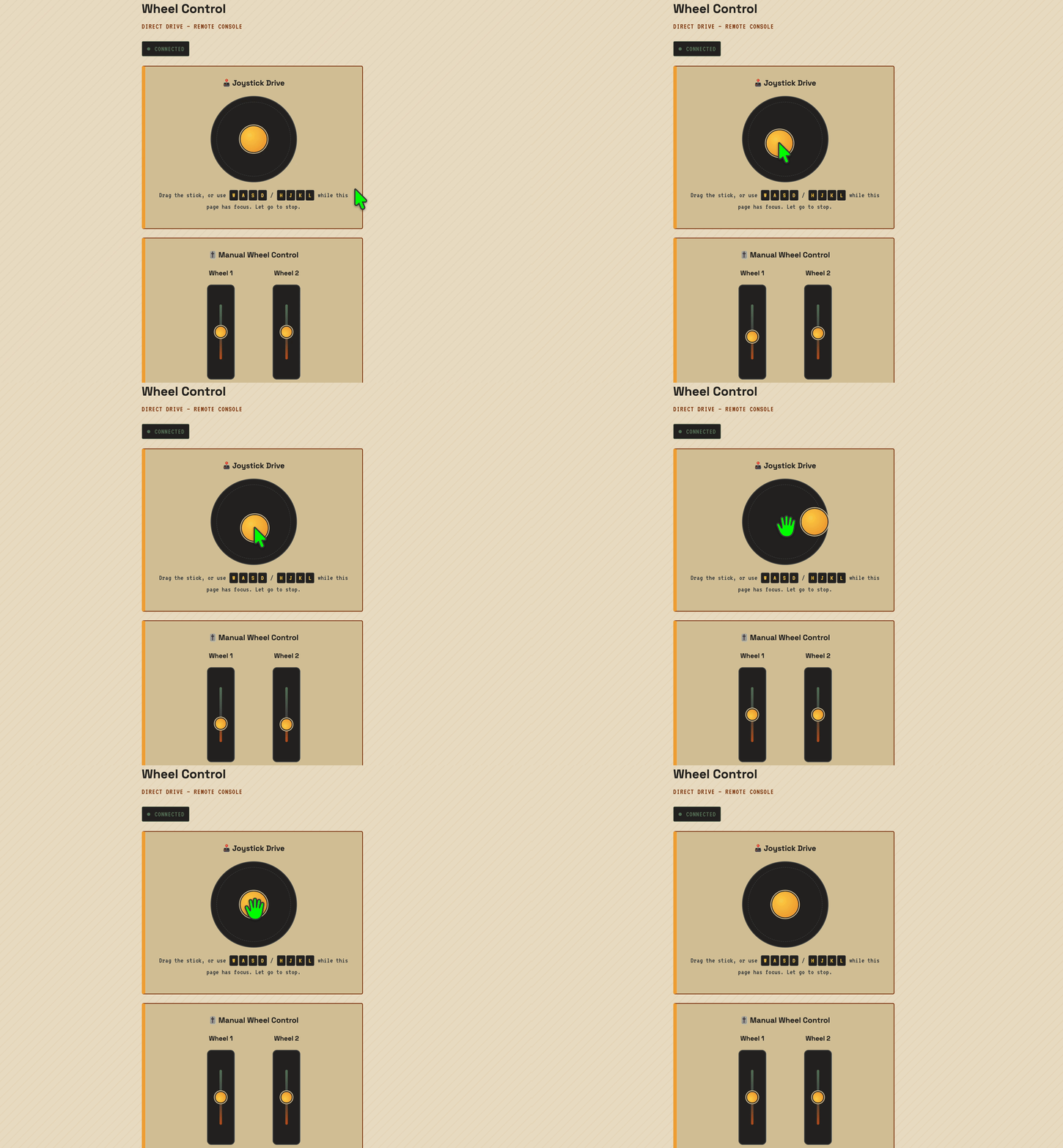
Since Post 1, driving meant dragging two independent vertical sliders. Well actually up till now we haven’t connected both servos but yeay a slider per wheel like driving a tank, and how do you even control 2 controls with 1 mouse? So the control page now has:
- An on-screen joystick pad — drag the stick in any direction, let go and it springs back to center and stops, same “throttle stick, not a light switch” feel as the wheel sliders had.
WASDand vim’shjklboth drive the same stick — whichever one you reach for first works, and they combine, so forward + turn gives you a proper diagonal instead of a hard pivot.- The old per-wheel sliders are still there underneath, now relabeled “Manual Wheel Control” — occasionally useful for trimming one wheel on its own, but the joystick is the one you actually want to drive with.
Keeping the mixing in one place
The tempting shortcut was to do the “turn this drag angle into two wheel
speeds” math in JavaScript and post straight to the existing
/api/wheel/<n> endpoint per wheel. We didn’t do that — the frontend has
no business knowing how many wheels this thing has or how they’re mixed.
Instead the page posts one thing, {x, y} (turn, throttle, both
-100..100), to a new POST /api/drive, and the actual arcade-mixing math
lives entirely on the Python side:
def mix_drive(x, y):
    x = max(-100, min(100, int(x)))
    y = max(-100, min(100, int(y)))
    return max(-100, min(100, y + x)), max(-100, min(100, y - x))
One function, one place that knows wheel1 = throttle + turn and
wheel2 = throttle - turn. If we ever add a third wheel, a different
chassis, or want to curve the turn response, that’s a one-function change,
not a hunt through frontend code.
Mirrored servos, mirrored bug
Software done, so time to actually push the stick forward with both wheels connected at once — first time we’d had them both hooked up and driven together rather than one at a time. Robot spun in place instead of driving forward. Wheel 1 was doing exactly what it should; wheel 2 was going backward.
Both servos are the same part, wired the same way, running the same
firmware — but they’re bolted to opposite sides of the chassis, mirror
image of each other, the same way your left shoe and right shoe are
mirror images built from the same last. “Spin clockwise” looks like
forward from one side and backward from the other, so the exact same
pulse width that drove wheel 1 forward drove wheel 2 in reverse. Nothing
wrong with the mixing math from the last section — mix_drive() was
handing out perfectly correct forward speeds for both wheels, it’s just
that one wheel’s servo interprets “forward” backwards from the other.
Fixed it at the one point in the firmware that turns a commanded speed into an actual pulse, not by touching the mixing math or anything upstream of it:
#define WHEEL1_REVERSED false
#define WHEEL2_REVERSED true
...
servoFrame(SERVO1_PIN, speedToPulseUs(WHEEL1_REVERSED ? -wheel1Speed : wheel1Speed),
           SERVO2_PIN, speedToPulseUs(WHEEL2_REVERSED ? -wheel2Speed : wheel2Speed));
wheel1Speed/wheel2Speed themselves — the values the Bridge handlers
store, the values the Python side and the joystick’s arcade mixing both
reason about — still mean “positive is forward” for both wheels. The
mirroring correction is a single negation right at the pulse-generation
step, isolated to the one wheel that’s actually mounted backwards. If it
turns out a future chassis needs the other wheel flipped too (or flipped
back), it’s a one-line change, not a rethink of the mixing.
A real OFF switch
With the direction sorted, one servo was still making a faint noise even sitting at commanded speed 0 — the same self-correcting buzz Post 1 first ran into, just quieter now that both servos are trimmed better. Trimming the pot gets you close to the servo’s true center, not exactly onto it, and a held 1500us “stop” pulse still gives the servo’s internal position-holding loop a target to compare itself against. Close-but-not-perfect is still enough for it to keep nudging.
So instead of chasing the trim pot further, we added a real motor power toggle — a button per wheel that does something a commanded speed of 0 can’t: stop sending that servo a pulse train at all.
static void servoFrame(int pin1, unsigned int pulse1Us, bool enable1,
                       int pin2, unsigned int pulse2Us, bool enable2) {
    if (enable1) {
        digitalWrite(pin1, HIGH);
        delayMicroseconds(pulse1Us);
        digitalWrite(pin1, LOW);
    }
    // ...same for pin2/enable2
}
No pulse means nothing for the internal loop to react to — quieter than any stop pulse we could trim to, held or not.
Worth being upfront about what this isn’t: it’s not a real power switch. The board only ever drove the servo signal line — the 5V rail has always come straight off the shared supply with no relay or MOSFET in between , so “motor off” here can’t cut actual voltage to the servo. That would need new hardware — a MOSFET or relay switched from a spare GPIO — not just a firmware change, so we deliberately scoped this to the signal-only version rather than reaching for a soldering iron mid-feature. Given the noise was coming from the signal being held near-but-not-quite-center rather than from anything drawing power at true idle, it’s also very likely the actual fix for the buzz, not just a consolation prize.
“Holding a key” isn’t a real browser event
First pass: listen for keydown, send the drive command once. Worked for
about half a second — press w and the robot lurches forward, then stops
on its own even though the key’s still very much held down.
Turns out keydown fires once per press, and after that the browser’s own
key-repeat kicks in — which is inconsistent across OSes, has a noticeable
initial delay, and isn’t something we should be relying on for “keep the
motor running.” Worse: [Post 1][14-post-1-wheels] built a 1-second watchdog
into the STM32 side specifically so a dropped connection stops the wheels
instead of leaving them spinning — and a keydown that fires once and then
goes quiet for a while looks exactly like a dropped connection to that
watchdog.
Fix was the same pattern the wheel sliders already used for drag events,
just driven by a timer instead of input events — track which keys are
currently down in a Set, and re-send the current vector on a plain
interval for as long as any of them are held:
setInterval(() => {
  if (keyboardDriving) drive(...keyboardVector(), false);
}, SEND_INTERVAL_MS);
keydown/keyup just add/remove from the set; the interval is what
actually keeps commands flowing often enough to stay ahead of the
watchdog.
The keyup that never comes
Second gotcha, found by alt-tabbing away mid-drive without letting go of
w first: the robot kept driving. keyup only fires if the browser is
still the one listening — alt-tab, clicking outside the page, anything
that steals focus, and the browser just stops delivering key events
altogether. No keyup, so our held-keys set never clears.
window.addEventListener('blur', () => {
  if (pressedKeys.size === 0) return;
  pressedKeys.clear();
  keyboardDriving = false;
  drive(0, 0, true);
});
Losing focus now stops the robot immediately instead of waiting out the watchdog’s full second — which, at “robot with wheels in a hallway,” felt like the actually-important version of this bug, not just a nice-to-have.
What’s next
The joystick makes driving nicer, but you’re still driving blind — next up is the camera, so this actually becomes the “puppy on a leash from your phone” post the original plan promised.